
Sport mode animations
Our TFT can do much more than it shows in normal operation, which is mainly due to the fact that BMW Motorrad only knows 2 TFT types. The small one as on our GS(A) and a somewhat larger one. Here we deal with the standard display.
What do we need for this?
ISTA+ (or another tool to check and clear the fault memory)
ESYS
BimmerUtility
Here are a few functions divided into groups that you can activate:
Startup animation
GS Adventure, BMW - M, GT Urban, Hardbagger, R-Sport, RR-Sport, RS-Sport, RT-Tourer, X-Urban, XR-Sport.

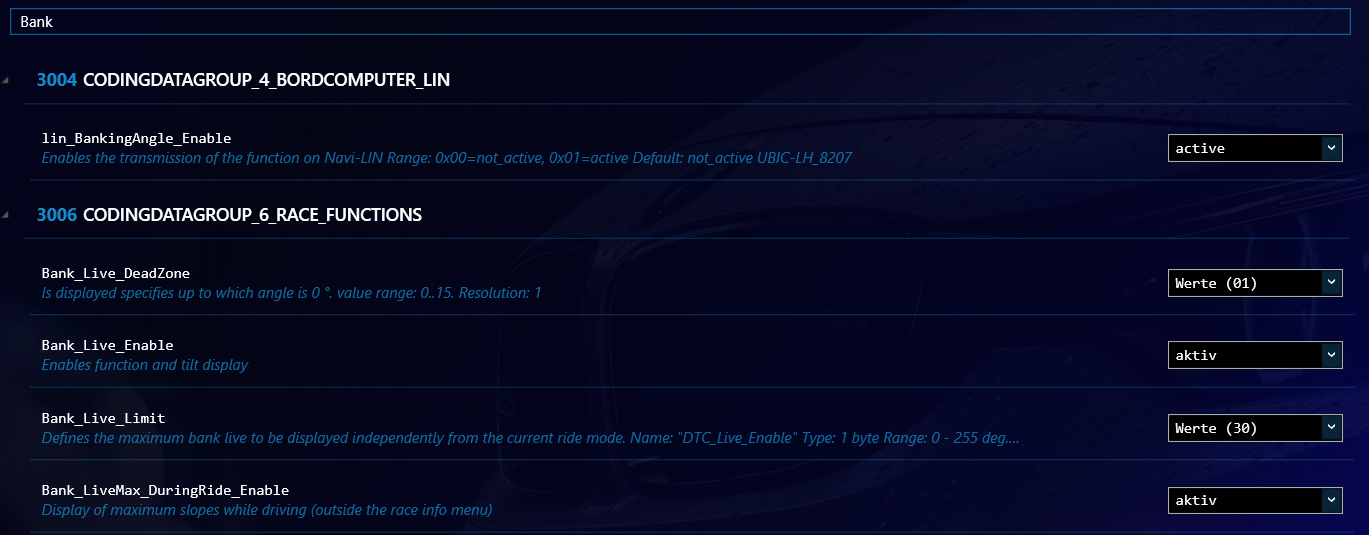
Live lean angle display in sport mode
The lean angle display shows us live what lean angle we have reached in the corner. The maximum angle to the right and left is also visualised on the display. The search term for it is ,,Bank"
Activate sport mode
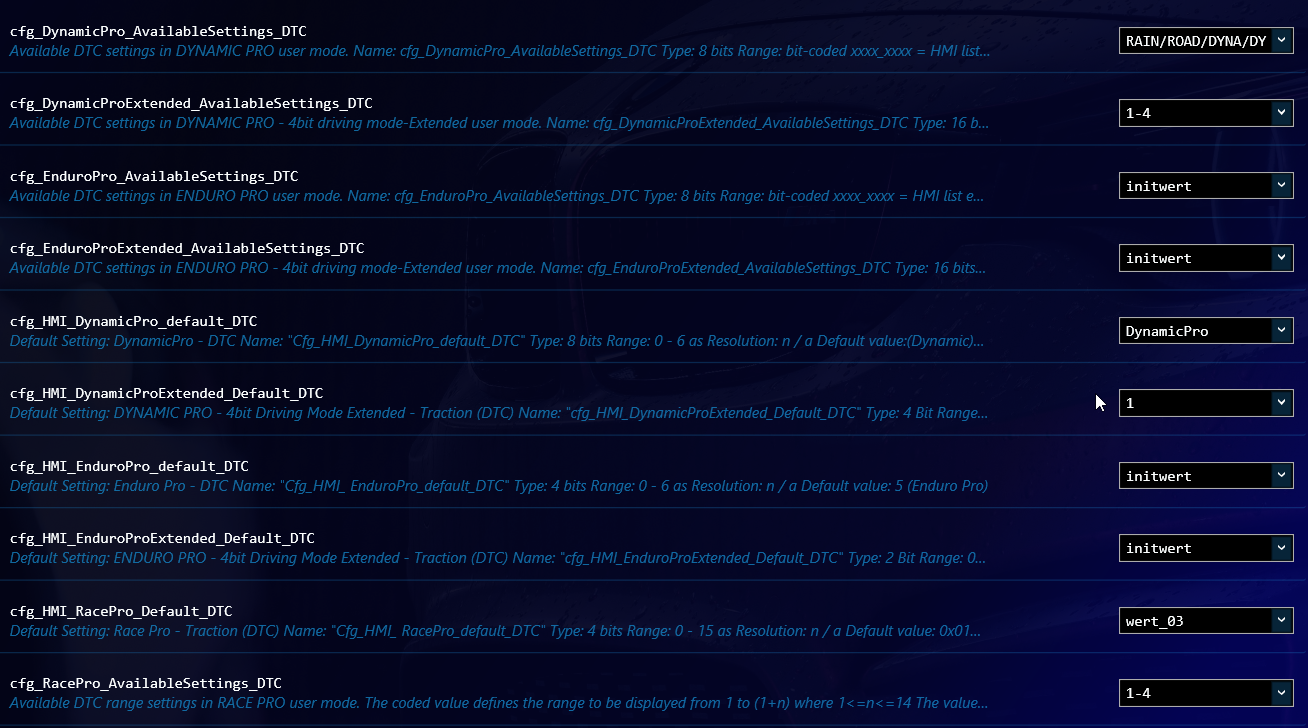
Sport mode comes from the racing machines and is primarily designed for the race track, but can also be activated for us. It is made up of a large number of individual menus.
For this we have to put the display into sport mode, otherwise the menus do not exist, even if we activate them.


We set the sport ScoreScreen to 01-02-03



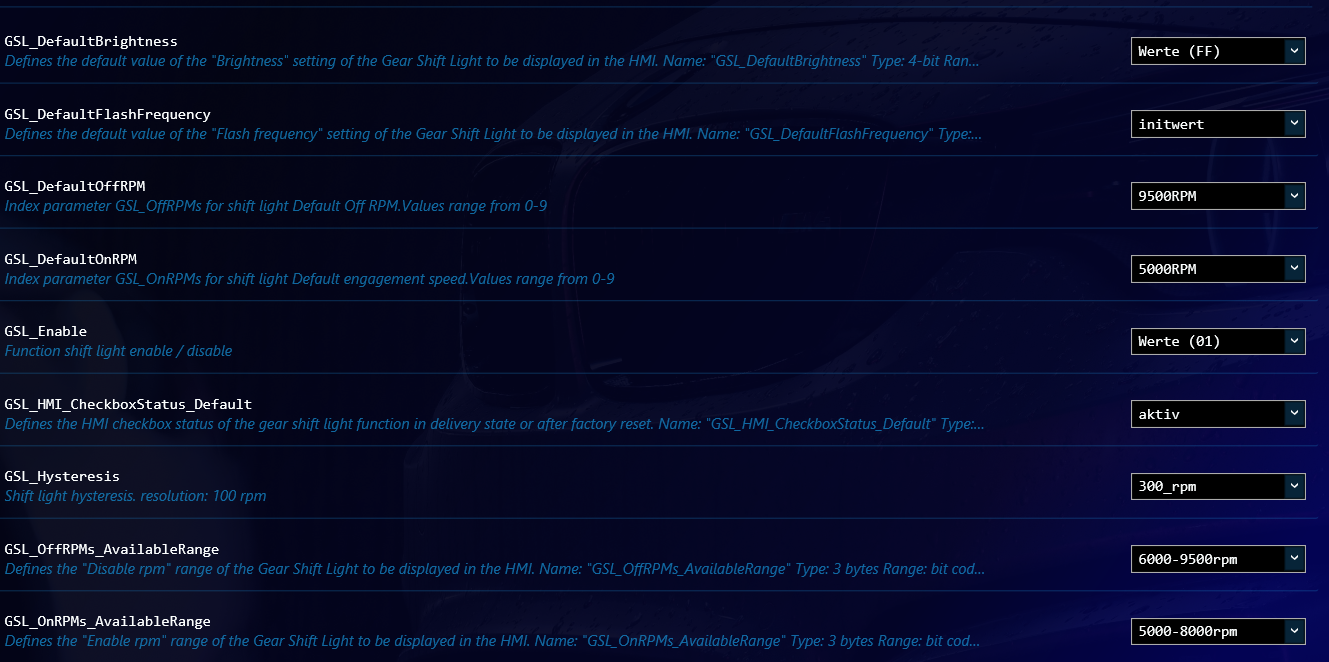
Shift flash
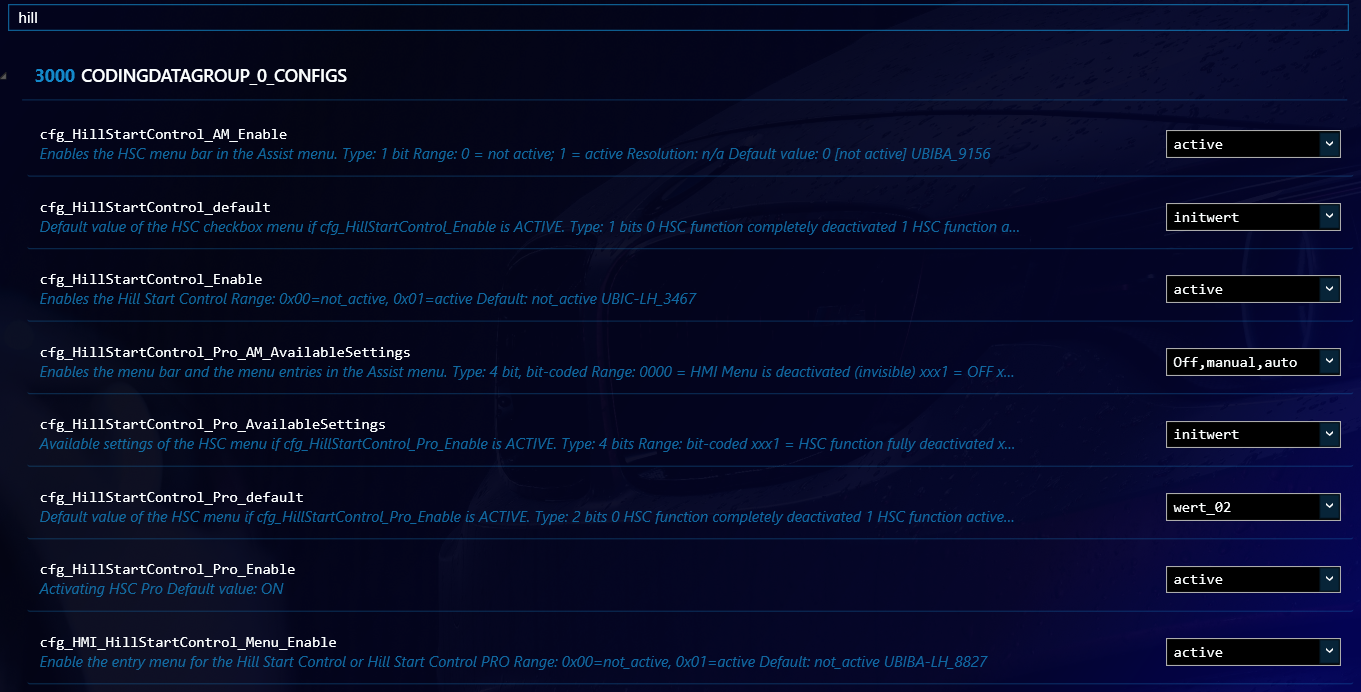
Hill start assist
Frequently asked questions (FAQ)
You need ISTA+ (to check and clear the fault memory), ESYS, BimmerUtility and an E-Net cable to connect to the vehicle.
It shows live the currently reached lean angle during Cornering and additionally visualises the maximum angle reached to the right and left on the TFT display.
The hill start assist works on the principle of a hill holder: It holds the motorcycle briefly when pulling away on a hill so that it cannot roll backwards.